
Amazon Brand Registry Photos Rejected? Here’s What’s Actually Wrong
When Amazon rejects your Brand Registry application, they usually give you a reason.
But the wording is vague.
- “The product images do not display your brand name permanently affixed.”
- “The trademark image does not match the trademark record.”
- “Computer generated images are not accepted.”
You read that… and it still doesn’t tell you what to fix.
This guide breaks down what Amazon is actually reviewing, the most common rejection categories, and exactly what to change before you resubmit.
What Amazon Is Actually Comparing
Amazon is not reviewing your images like a customer.
They are comparing three things — character by character.
| Element | Where It Comes From | What Must Match |
|---|---|---|
| Trademark Record | USPTO database | Exact spelling, punctuation, special characters |
| Brand Name in Application | Brand Registry form | Must match trademark record preview |
| Brand Name in Photos | Product & packaging | Must reflect the same brand name |
If even one character is off, it can get rejected.
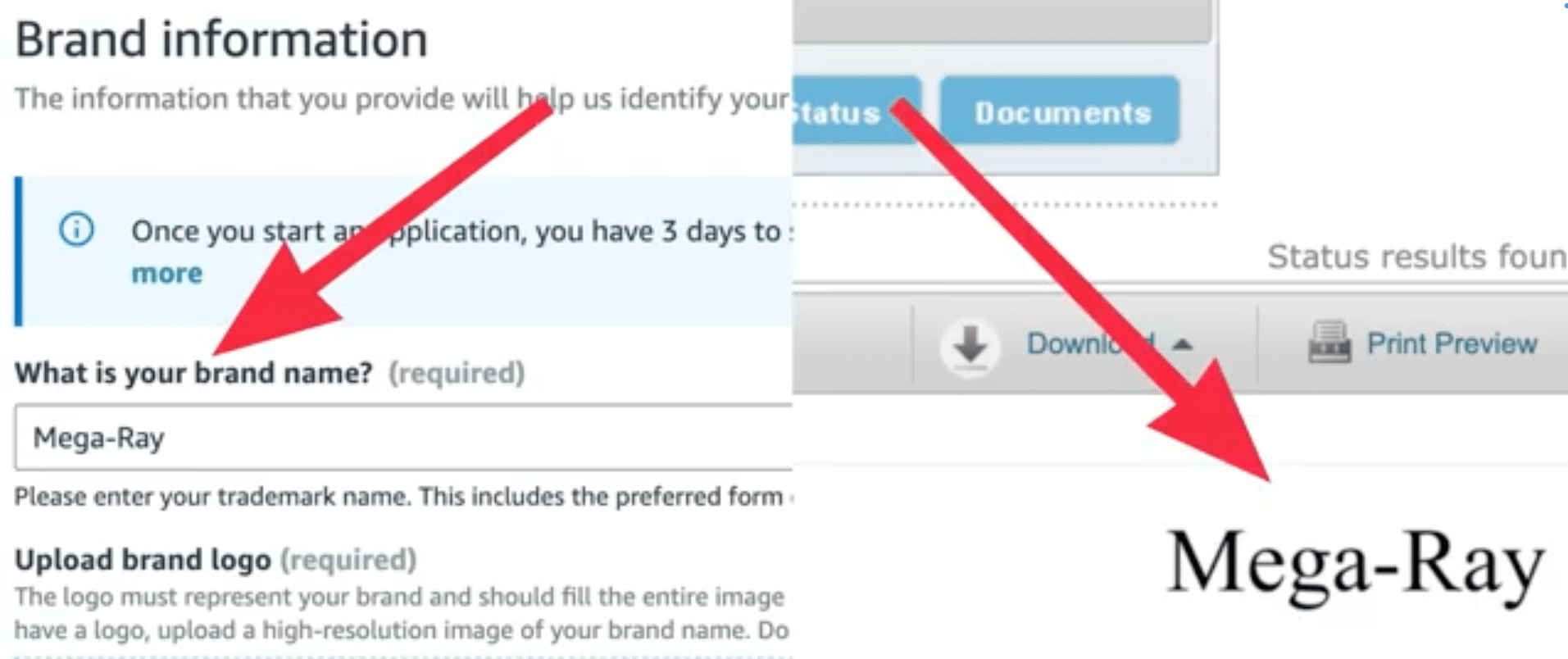
Image above: Notice how the brand name entered in the application must match the trademark preview exactly — including punctuation and formatting.
How the Review Chain Works
Think of the review process like a chain:
Trademark Record → Brand Registry Application Entry → Product Photos → Approval or Rejection
If anything in that chain doesn’t align, the system flags it.
Rejection #1: “Computer Generated Images Are Not Accepted”
This is the most common rejection.
Even when your photos are real.
What Triggers It
| Trigger | Why Amazon Flags It |
|---|---|
| Pure white background | Looks like listing image |
| Studio lighting | Appears professionally staged |
| Background removed | Suggests editing |
| Photoshop touchups | Risk of digital alteration |
| Mockups or renderings | Not physical proof |
These photos are verification evidence — not marketing images.
What Amazon Wants Instead
| Acceptable | Risky |
|---|---|
| Cell phone photo | Studio product shot |
| Natural lighting | Catalog lighting |
| Visible background | Pure white seamless |
| Hand holding product | Floating mockup |
| Natural shadow | Shadowless perfection |
When you hold the product and let your hand cast a shadow over the logo, it proves depth and shows the logo isn’t digitally added.
That shadow actually helps.
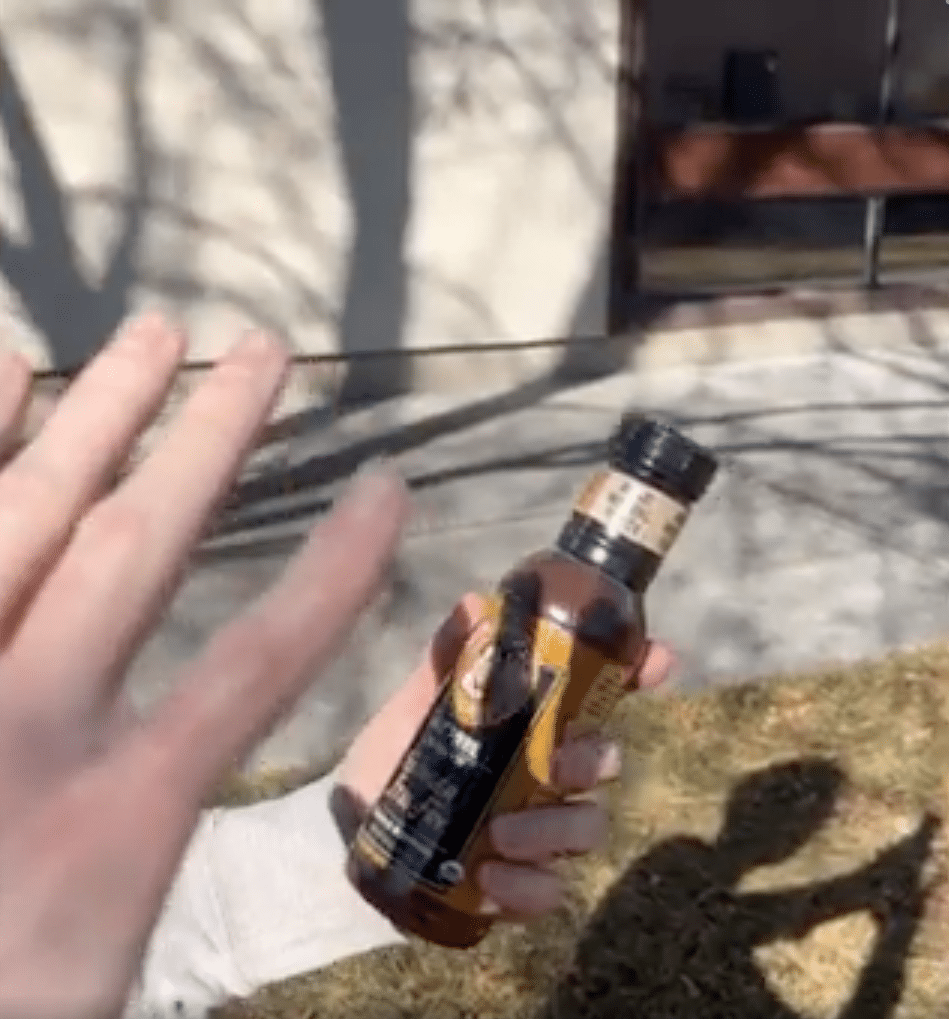
Image above: Holding the product and letting a natural shadow fall over the logo helps demonstrate the branding is physically printed.
Rejection #2: Brand Name Not Permanently Affixed
This is not about visibility. It’s about permanence.
What “Permanently Affixed” Means
| Acceptable | Often Rejected |
|---|---|
| Printed on box | Peelable sticker |
| Engraved | Temporary label |
| Molded into product | Rubber stamp |
| Sewn tag (clothing) | Loose insert card |
Workaround If You Don’t Have Printed Packaging Yet
- Order a custom vinyl logo decal (Etsy works).
- Apply it cleanly to a plain box.
- Place product inside.
- Photograph that.
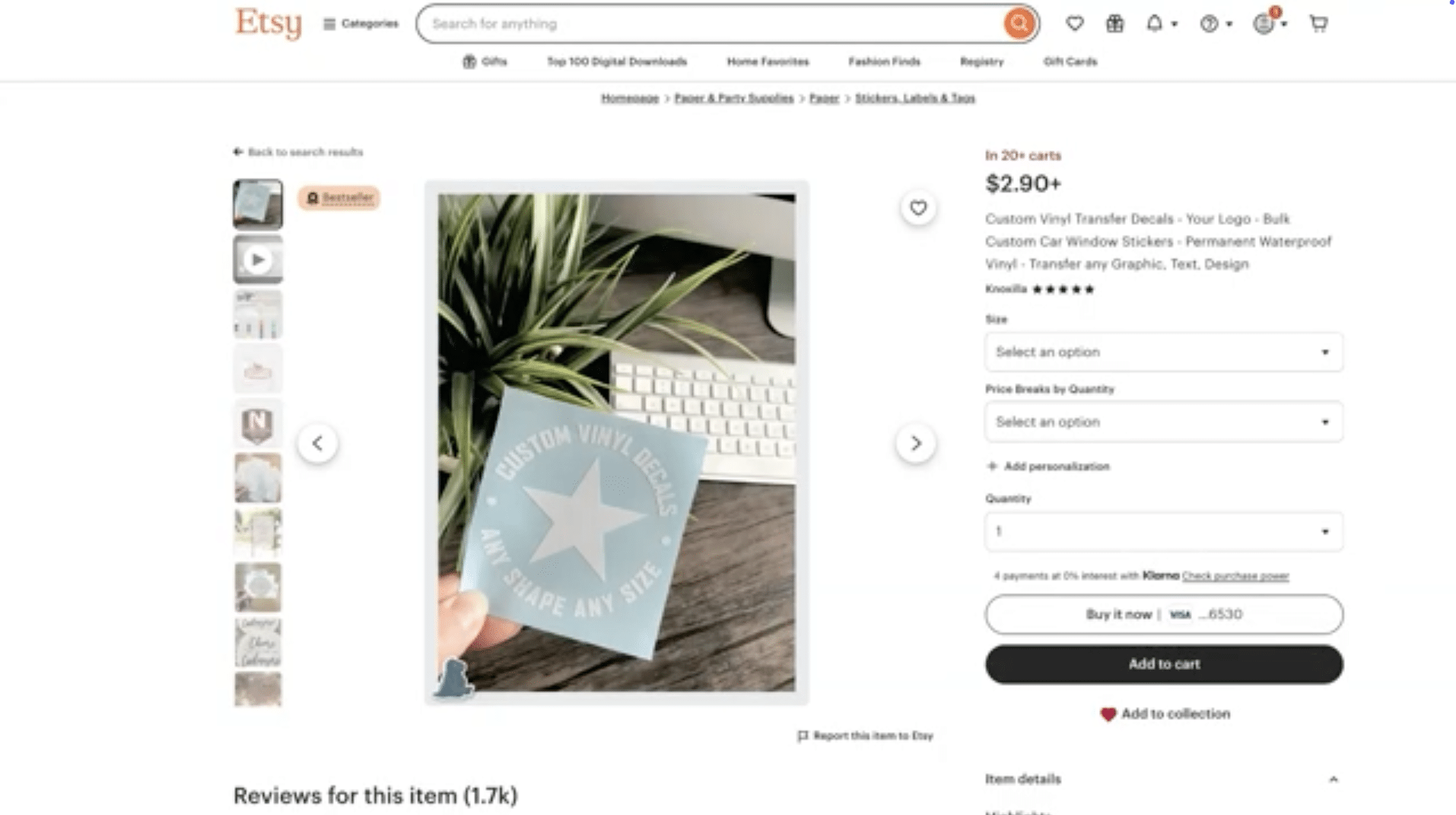
Image above: Example of custom vinyl decals that can be used to create branded packaging for Brand Registry photos.
This works when it looks intentional and integrated — not temporary.
Rejection #3: Trademark Mismatch
Amazon compares:
- USPTO trademark record
- Brand name entered in the application
- Brand name shown in photos
Even small differences cause rejection.
| Element | Must Match Exactly? |
|---|---|
| Spelling | Yes |
| Spaces | Yes |
| Dashes | Yes |
| Special characters | Yes |
| Decorative punctuation in trademark text | Yes |
Rejection #4: UPC / GS1 Issues
| Scenario | Risk Level |
|---|---|
| UPC registered to your company | Low |
| UPC registered to related company | Usually fine |
| UPC registered to unrelated company | High |
| UPC purchased from reseller | Risky |
Rejection #5: Blurry or Unreadable Text
| Issue | Why It Causes Rejection |
|---|---|
| Slight blur | Reviewer cannot confirm exact spelling |
| Glare | Letters obscured |
| Curved packaging | Partial brand hidden |
| Low resolution | Text unclear when zoomed |
| Camera too far away | Brand not legible |
Best Practice Photo Set
| Photo Type | Purpose |
|---|---|
| Full product shot | Shows existence |
| Close-up of brand name | Shows exact spelling |
| Multiple angles | Shows full wrap |
| Blank sides | Proves nothing hidden |
| Lid + bottom | Completeness |
Amazon doesn't know they're blank unless you show them.
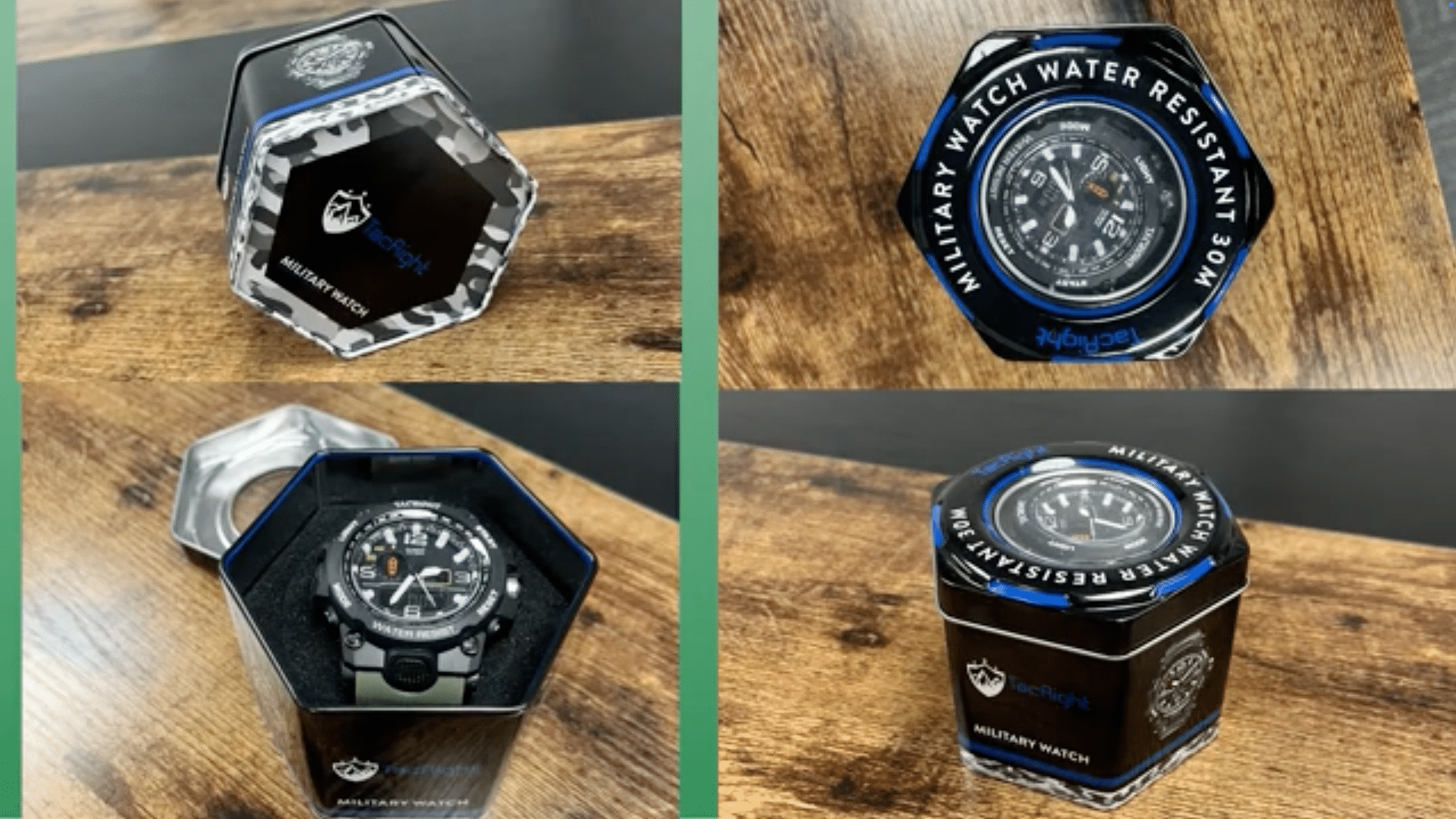
Image above: Example of photographing all angles, including lid and packaging, to eliminate ambiguity.
Final Checklist Before You Resubmit
- Photos taken with phone (not studio)
- No background removal
- Natural shadows visible
- Brand clearly printed or engraved
- No removable-looking labels
- Trademark matches USPTO exactly
- Application entry matches trademark preview
- All text readable in close-up
- UPC (if used) properly registered
Brand Registry photo rejections are rarely random. They’re usually caused by small mismatches, over-polished images, or branding that looks removable.
If your situation is more complex and you want professional help reviewing your Brand Registry photos or application, email customerservice@fivestarcommerce.com or schedule an info call using the “Schedule info call” button on our website.